| Welcome, Guest |
You have to register before you can post on our site.
|
| Online Users |
There are currently 382 online users.
» 2 Member(s) | 376 Guest(s)
Applebot, Baidu, Google, UptimeRobot, papadoc, patrickdrd
|
| Latest Threads |
Image rendering and hardw...
Forum: General Discuss
Last Post: Isrianhelm
54 minutes ago
» Replies: 7
» Views: 10,001
|
Stable version (5.3.1184....
Forum: Release Channel
Last Post: Sol
Yesterday, 09:27 PM
» Replies: 164
» Views: 75,083
|
Dark Chrome Web Store wit...
Forum: Tips & Tricks
Last Post: S8F8ry
Yesterday, 06:05 AM
» Replies: 6
» Views: 1,761
|
Удаление расширения
Forum: Русский Форум
Last Post: S8F8ry
Yesterday, 06:00 AM
» Replies: 3
» Views: 270
|
Download button needs imp...
Forum: Bugs & Suggestions
Last Post: S8F8ry
11-15-2026, 02:32 PM
» Replies: 1
» Views: 184
|
"Replace with current URL...
Forum: Bugs & Suggestions
Last Post: S8F8ry
11-14-2026, 03:07 PM
» Replies: 8
» Views: 1,067
|
Browser speed (5.2, 5.3, ...
Forum: General Discuss
Last Post: azliel
11-14-2026, 11:52 AM
» Replies: 0
» Views: 165
|
Any way/extension to skip...
Forum: Plugins & Extensions
Last Post: rey
11-14-2026, 11:01 AM
» Replies: 2
» Views: 244
|
New version 5.3 language ...
Forum: 한국어 포럼
Last Post: azliel
11-14-2026, 08:33 AM
» Replies: 0
» Views: 133
|
Stable version (5.2.1168....
Forum: Release Channel
Last Post: moitinhdaukiss
11-14-2026, 03:14 AM
» Replies: 559
» Views: 637,579
|
|
|
| Redesign of the Cent Browser website |
|
Posted by: Sneisi - 08-10-2024, 09:39 AM - Forum: General Discuss
- Replies (3)
|
 |
(07-10-2024, 06:14 PM)Admini Wrote: We may redesign our website this year.
In another thread was mentioned that the Cent Browser website may be redesigned this year.
On the Cent Browser website in the category Features, the information on that webpage gives a wrong and incomplete impression about the Shortcuts keys.
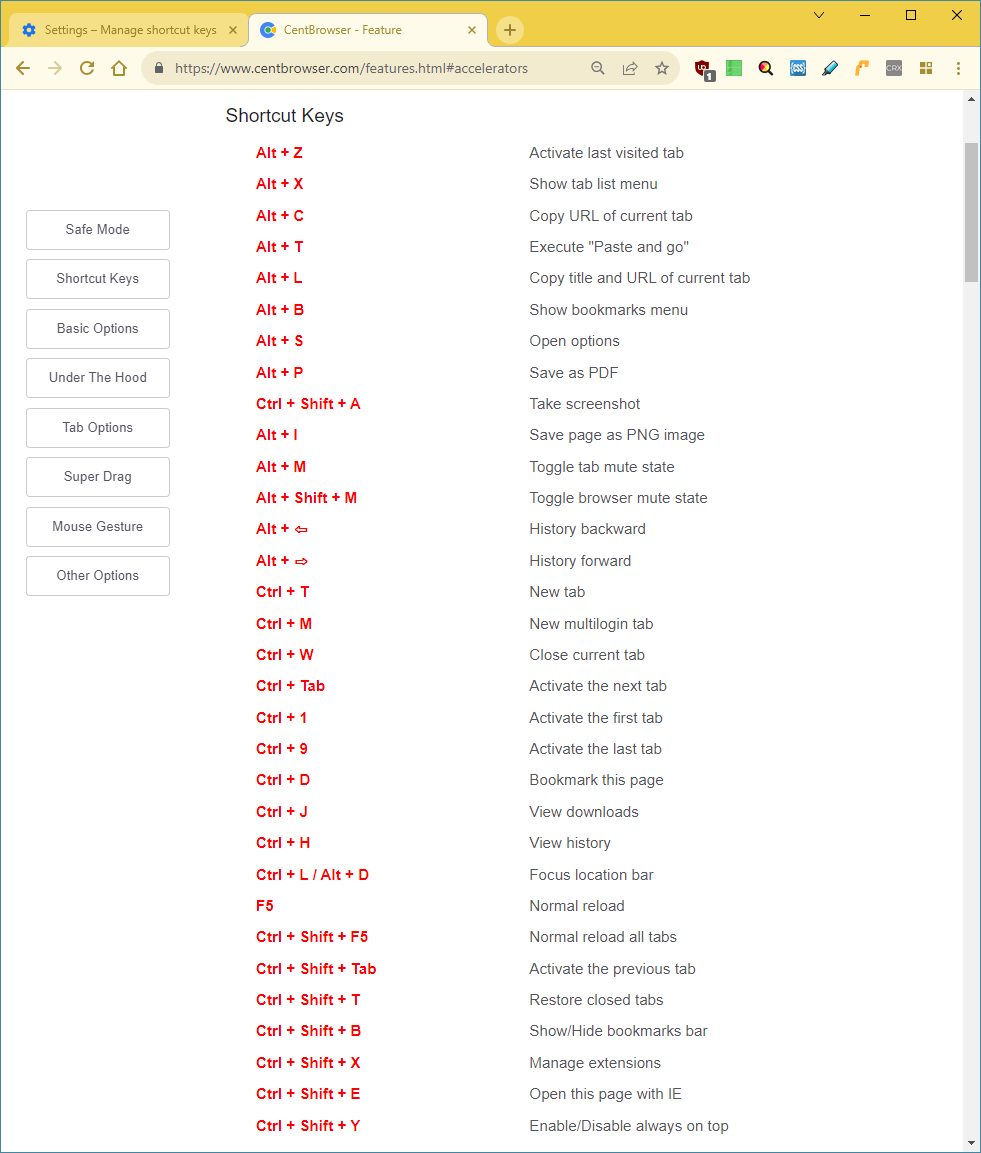
The way the information about the Shortcuts keys looks, is like the displayed Shortcuts keys are set by default, but there is noting mentioned that the Shortcuts keys can be customized or disabled. And for me the feature to customize the Shortcuts keys is one of the main factors that contributes to Cent Browser as my favourite Chromium-based browser.
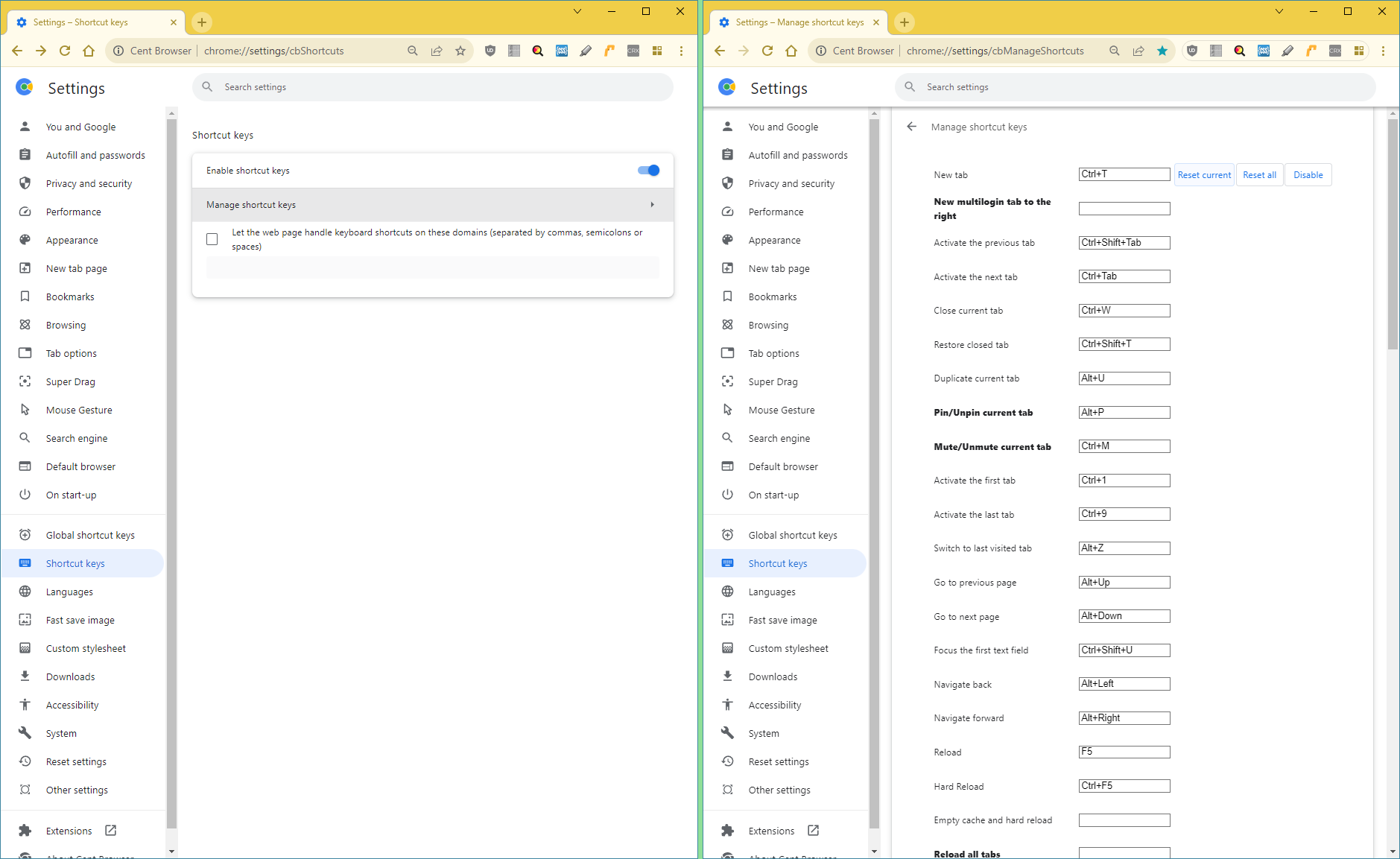
The features to save an entire webpage (Alt + I) and to copy an entire webpage as an image are underexposed, while those are two features contribute greatly to Cent Browser as my favourite Chromium based browser. The feature to save an entire webpage (Alt + I) is highly comparable with the extension GoFullPage - Full Page Screen Capture, referenced at Cent Browser Extension. If you would ask me, the Cent Browser feature to save an entire webpage (Alt + I) is even better than GoFullPage - Full Page Screen Capture, because the Cent Browser feature to save an entire webpage works everywhere, while GoFullPage - Full Page Screen Capture doesn't work at some websites like the Google Chrome Web Store.
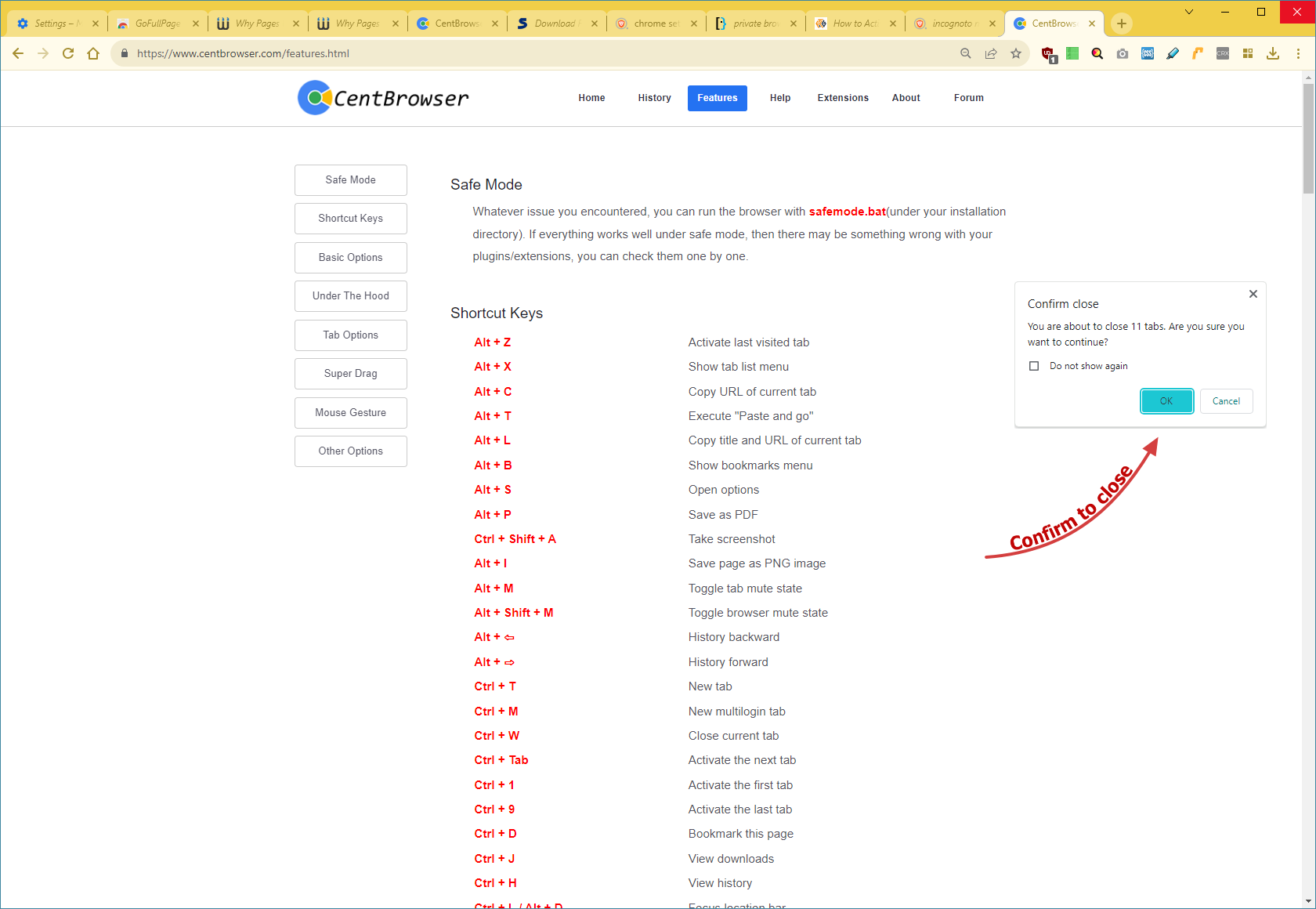
Another Cent Browser feature that is underexposed is the Confirmation to close windows with multiple tabs.
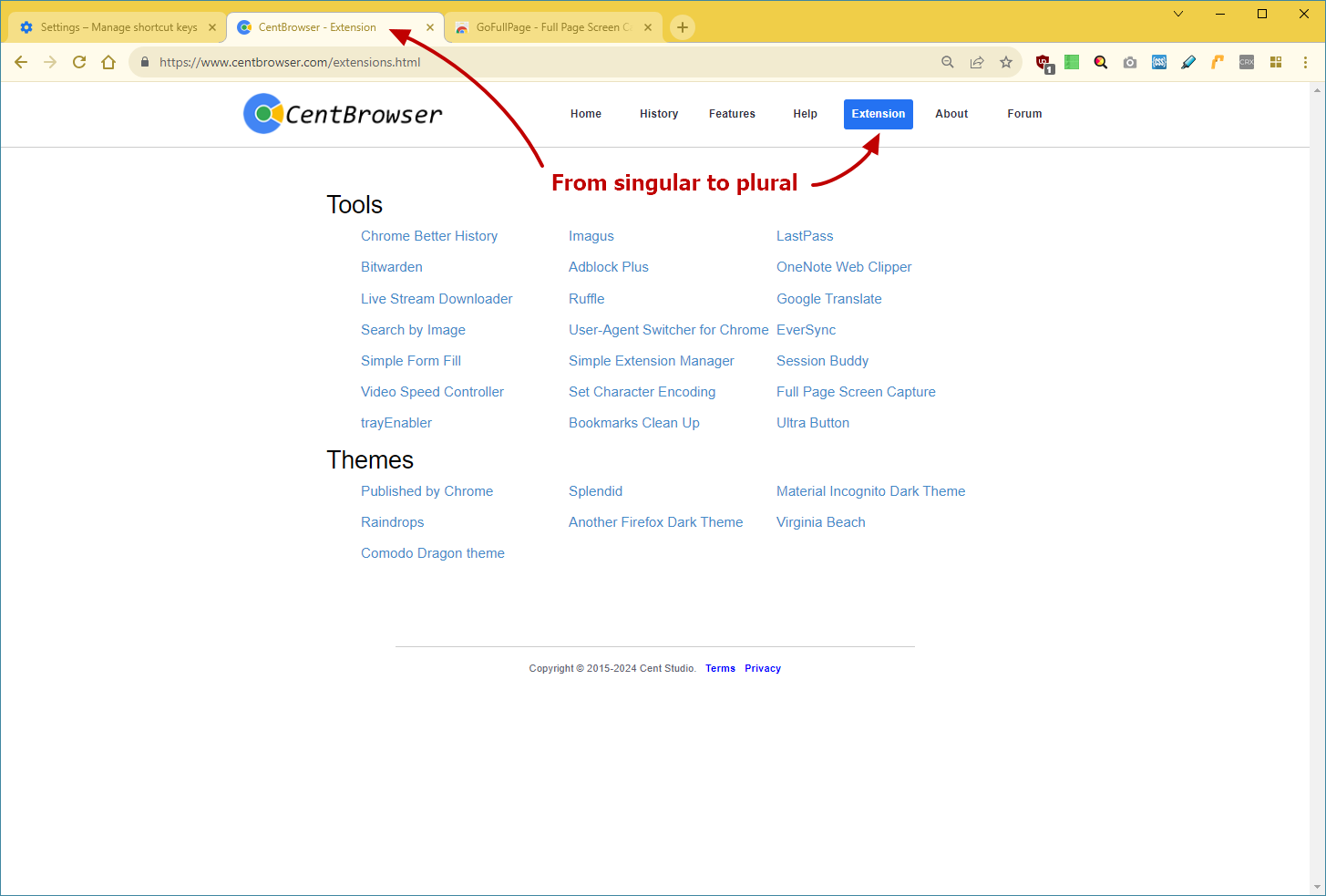
Furthermore, I suggest to change the category Extension on the Cent Browser website and the title of that webpage from singular to plural, for it is not about just one extension, but about several extensions.
|

|
|
| Pinch-to-zoom using mouse |
|
Posted by: ZenBeer - 07-29-2024, 04:49 PM - Forum: Plugins & Extensions
- Replies (2)
|
 |
Pinch-to-zoom is a feature I have grown to love on both my smartphone and my Windows 10 laptop/trackpad. What if you use a desktop and mouse? Microsoft forgot about desktop users. Fortunately there is an extension that lets you use your mouse's scroll wheel to mimic pinch-to-zoom.
Mouse Pinch-to-Zoom.
https://chromewebstore.google.com/detail...ohjnlongfi
You hold down ALT and use the scroll wheel to zoom in and out just like your smartphone then scroll around the page. Works better than the built-in page zoom that reformats the page.
I tested with Windows 7 & 10.
|
|
|
|
 Cent Browser Screens |
|
Posted by: csanchez - 07-10-2024, 03:54 PM - Forum: General Discuss
- Replies (1)
|
|
Npackd is a package manager for Windows that I recently discovered, I think it's great.
https://npackd.appspot.com/
I noticed that the information, screenshots and icon of Cent Browser in the Npackd repository are quite outdated, so I was looking to update this, however I saw another detail.
The Cent Browser website has no Cent Browser screenshots, so you have to resort to third party sites if needed.
I couldn't find the single icon either, just the icon with the text, which is what is available on the website.

The main site also does not show a description of the browser, although it is in the code.
"Cent Browser is an enhanced web browser based on Chromium with many convenient features like super drag, mouse gesture, scrollable tab bar, advanced browsing options and more."
It would be good to update the main page a bit to include these things that I think are useful.
I guess the post can also be used to share images of Cent as you have it set up and show cool screenshots 
https://i.ibb.co/nDF66Pj/Icon.png

https://i.ibb.co/7QVKVRn/cent-browser-ve...nshot1.jpg

https://i.ibb.co/txnqFbv/cent-browser-ve...nshot2.jpg

https://i.ibb.co/f0cPNLC/cent-browser-ve...nshot3.jpg

https://i.ibb.co/nCwSswb/cent-browser-ve...nshot4.jpg

https://i.ibb.co/smRbWz3/cent-browser-ve...nshot5.jpg

|
|
|
|
|